
Every sound
is a light.
PolychromBox is a beat machine for iPhone, iPhone Duo and iPad. Tap in a beat, play it like an instrument, perform it like a DJ, and every hit lights up the screen.
For iPhone and iPhone Duo with iOS 26 or later, and iPad with iPadOS 26 or later.

- 9 sounds, each with its own color and light
- 16 steps, each sound on a loop of its own
- 45 light packs to see your music
- 11 sound packs, six variants of every sound
- 46 languages
Tap in a beat.
Nine sounds, from kick to arp, on a grid of sixteen steps. Each sound loops on its own length and at its own speed, so simple loops slide against each other into grooves that keep turning.
- Six variants of every sound, picked step by step
- 26 patterns, A to Z, each with its own key and sound pack
- Swing, a tempo from 60 to 180 BPM, and a metronome when you want one
- Undo and Redo for every change
Play it like an instrument.
On the Pads tab, the sound you pick becomes something to play: a keyboard for bass, chords and arps that never leaves the key, or drum pads sized by how long each one rings.
- Six keys, and chords that follow every bar
- Add what you play to the stepsPro
- Fit the loop to what you played, up to eight barsPro
- Chain a new pattern every bar for as long as you keep playingPro

Chain it into a song.
Line up your patterns into a song of up to 64 blocks. Drag them into place, follow the part that's playing, and give any part a light pack of its own.

Start here
Never made a beat? Perfect.
A short tour builds your first song with you, step by step. Controls open up as you make music, or you can show them all from the start.
- Name ideas for every song
- Haptics that tap along with the beat
- Light Sync for AirPlay speakers and wireless headphones
Perform
Then play it live.
Perform turns your song into DJ gear. Ride the mixer, drop effects that lock to the beat, and change the lights as you go.


A mixer
Drums, Bass and Music, each with a fader, a color filter and Cut. Filter, Space, Drive and Swing on the master.
Beat effects
Roll, Gate, Beat Echo, Beat Wash, Beat Filter and Beat Crush, in time, with a length and a depth.
Hits
Riser, Impact, Zap and Drop for the big moments, landing on the one.
An effects bank
Chop, Riff, Stab, Rewind, Scratch, Stutter, Flip and more.
Filter and Key
Sweep the filter with one finger, or move the whole song up and down in key.
Light effects
Strobe, Blackout and Freeze, with your light packs and color sets at hand.
TakesPro
Record a performance. It plays back move for move, and exports with the song.
Lights
Forty-five ways to see your music.
Every sound has its own color and its own light, fired the moment you hear it. Some light packs even read the song ahead and build what's coming, so it lands right on the beat.
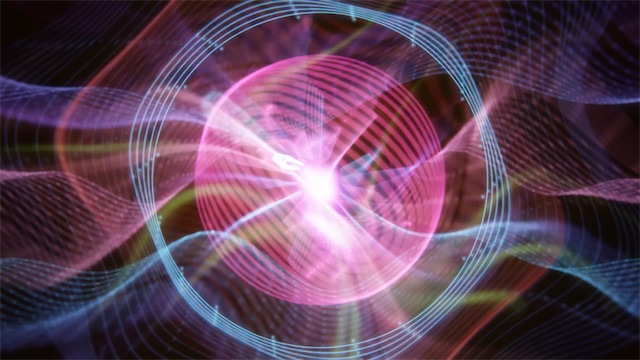
BloomA sun that beats with the kick 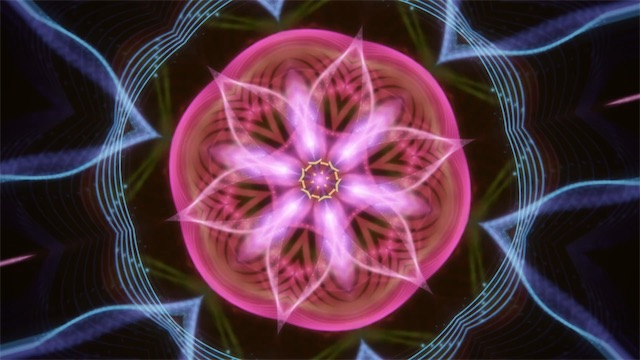
KaleidoEverything in mirrors 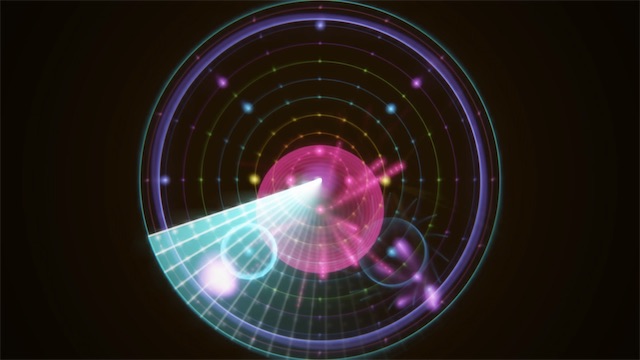
OrbitEvery loop is a ring 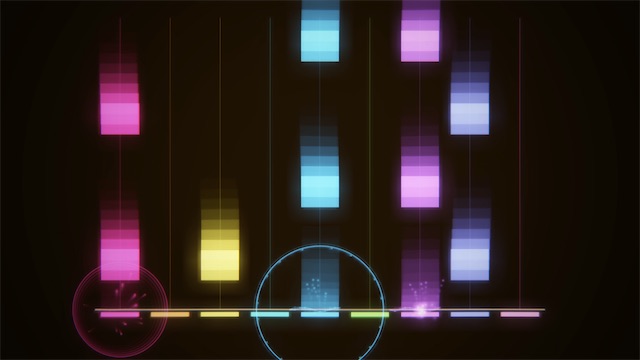
TilesProFalling tiles show what's next 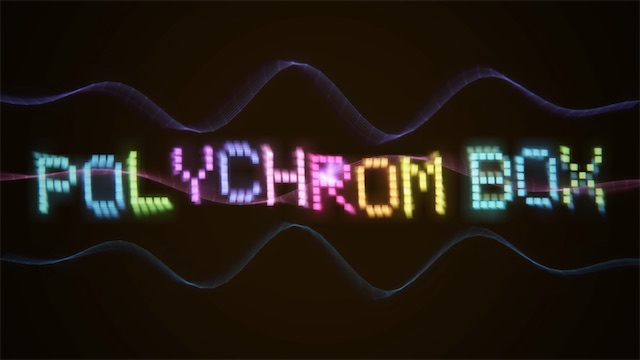
WordmarkProThe name, spelled in lights 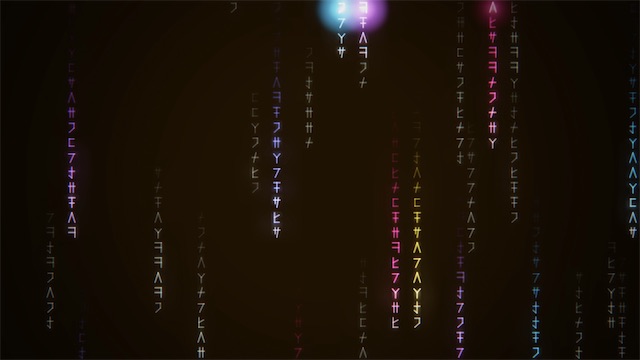
Code RainProGlyphs raining down in color 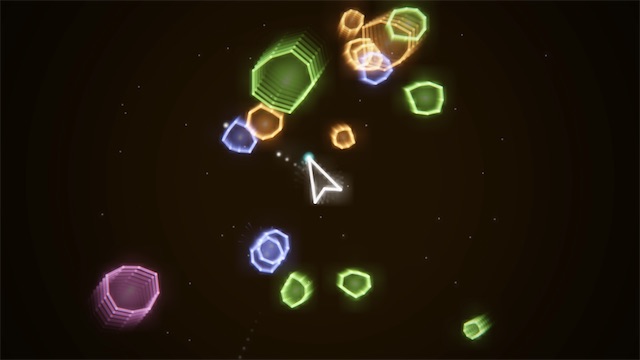
RocksProVector rocks shot apart on the beat 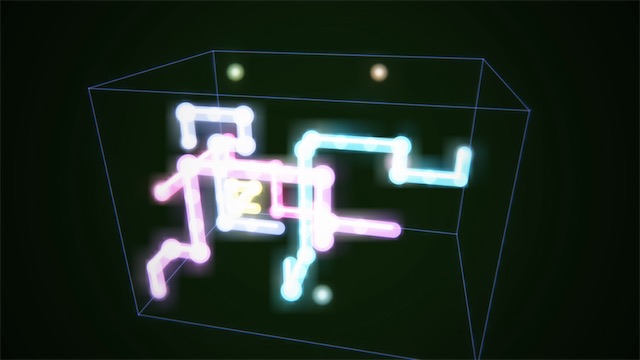
PipesProPipes that grow on every hit


And many more, from a pinball table to a starfield.
6 light packs come free. Pro has all 45.
Your colors
Pick a palette, make your own, or let the colors follow the key.
Shuffle
A playing song moves through your favorite light packs, or opens with the one you love.
Calm Lights
Gentler motion, and never more than three flashes a second. On by itself with Reduce Motion or Dim Flashing Lights.
iPhone Duo
Unfold the show.
On iPhone Duo, PolychromBox moves with the hinge. Half open, it's a little studio: the lights on the lid, the whole board on the base. Open it for the big screen, stand it up like a book, or close it and keep going on the outside screen.

Half open like a laptop, the lights play on the lid while your hands stay on the base.

Open flat, the big screen holds every sound on one grid, with room for the lights above.

Half open like a book, the lights fill one page and the console sits on the other.

Closed, the phone's console fits the outer screen, with the system's bar down the side.
Nothing ever sits in the fold: the console keeps clear of it in every pose.
Sounds
Sounds to start from.
Eleven sound packs, each with nine sounds and six variants of every sound, all made by the app's own synth, from a console's sound chip to a drawbar organ. Mix them freely: a pack for each pattern, each sound, even each step.
- Neon House
- Boom Bap
- Trap
- Lo-fi
- Latin Percussion
- Dream Pop
- 8-Bit
- Synthwave
- Acid
- Disco
- Soul
Or start from a preset: house, boom bap, trap, lo-fi, dembow, son clave and more, and three classics written note by note: Korobeiniki, Pachelbel's Canon and Ode to Joy. Surprise Me makes a new song every time.


Mixtapes
Make a mixtape. Pass it on.
Put your songs in order and you have a mixtape, its cover saying how long it plays. Share sends the whole tape as one file with every song inside, by AirDrop, Messages or Files, and it plays on any iPhone or iPad just as you made it.
- Ours: a mixtape for every style comes with the app, with more on the way
- Yours: change a song and it plays changed on every mixtape it's on
- Shared with you: a friend's tape plays as they made it, takes and all
- Make It Yours copies a track into your songs, to change as you like

Your songs
Your songs, playing on.
Your songs are cards on the home screen, sorted your way, with your mixtapes on a shelf above them. Play a mixtape and each song comes in where the last one ends, even with the phone locked, with the Lock Screen's controls.
Everywhere
From your pocket to the big screen.

The whole app in one hand. Turn it on its side for the whole board at once.

Every sound on one grid, with room to perform, and shortcuts on a keyboard.


Mirror your iPhone to Apple TV with AirPlay, or plug in a TV: the light show fills the TV while the controls stay in your hands. Play the set from the sofa, or from the booth.
- The whole TV for the lights, nothing else on it
- The mixer, the effects and the pads on your phone
- Light Sync keeps the lights on the beat with AirPlay speakers
The lights alone on the TV need iOS 27 or later. With iOS 26, the TV mirrors the whole screen.
iCloud Drive · Your songs save themselves and follow you to all your devices.
Languages
Speaks your language.
PolychromBox is in English and 45 more languages, right to left included.
- English
- العربية
- বাংলা
- Català
- Čeština
- Dansk
- Deutsch
- Ελληνικά
- Español
- Español (Latinoamérica)
- Suomi
- Français
- ગુજરાતી
- עברית
- हिन्दी
- Hrvatski
- Magyar
- Bahasa Indonesia
- Italiano
- 日本語
- ಕನ್ನಡ
- 한국어
- മലയാളം
- मराठी
- Bahasa Melayu
- Norsk bokmål
- Nederlands
- ଓଡ଼ିଆ
- ਪੰਜਾਬੀ
- Polski
- Português (Brasil)
- Português (Portugal)
- Română
- Русский
- Slovenčina
- Slovenščina
- Svenska
- தமிழ்
- తెలుగు
- ไทย
- Türkçe
- Українська
- اردو
- Tiếng Việt
- 简体中文
- 繁體中文
Free and Pro
Making music is free.
Everything you need to make, play, perform and share your songs is free. PolychromBox Pro adds a few extras, and helps keep PolychromBox going.
Free
From the first beat to the music video.
- The Grid, the Pads, the Song and Perform, with every effect
- All eleven sound packs and every preset
- 6 light packs to see your music
- Music videos, audio, song files and mixtapes to share
- iPhone, iPhone Duo and iPad, and the lights on your TV
PolychromBox Pro
One small purchase, about the price of a coffee. No subscription.
- Record on the Pads: Add, Fit and Chain
- Takes in Perform: record a set, and it plays back move for move
- All 45 light packs, from a night drive to a dance floor
- More app icons for your Home Screen
- Pro mixtapes, new from us now and then


Every sound is a light.
PolychromBox is coming soon to the App Store, for iPhone, iPhone Duo and iPad.
Coming soon to the App Store